The Singapore Driving Test Routes App
Our Singapore Driving Test Routes App will help you navigate and practise the exact routes you'll encounter during your Traffic Police Practical Test (TPP).
By familiarising yourself with the road layouts, local speed limits, common hazards, and independent driving sections, you'll build the confidence and skills necessary to perform at your best on test day.
Practise anytime, and get ahead with the knowledge of real test routes.
FREE Download


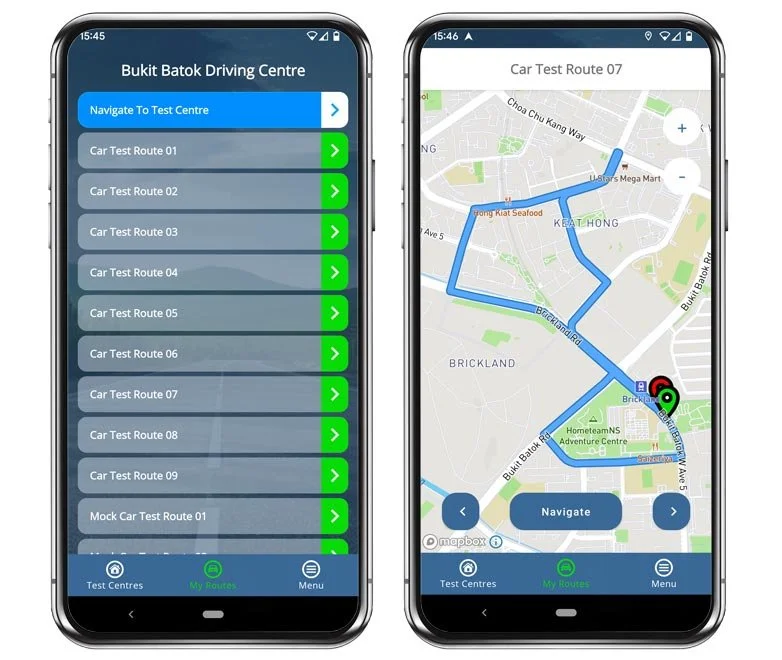
Features
Clear turn-by-turn guidance
All Singapore test centres
Real test routes
Routes updated continuously - live
Simple navigation
Preview routes before driving
No usage limit
App for iOS & Android devices

Benefits
Increased pass rates as reported from our users!
Lower the amount of lessons needed - save money learning to drive!
Famliarise yourself with your local roads, junctions and speed limits.
Boost your confidence on test day to increase your likelihood of passing.
Practise manoeuvres on the actual streets you will be driving during your examination.
How Does the App Work?

1. Choose Your Driving Centre
Choose which test centre routes you would like to practise from the 3 main driving centres in Singapore:
Our app covers all test routes from the centres, so you may wish to choose the test centre most local to you, or one with the highest pass rate.
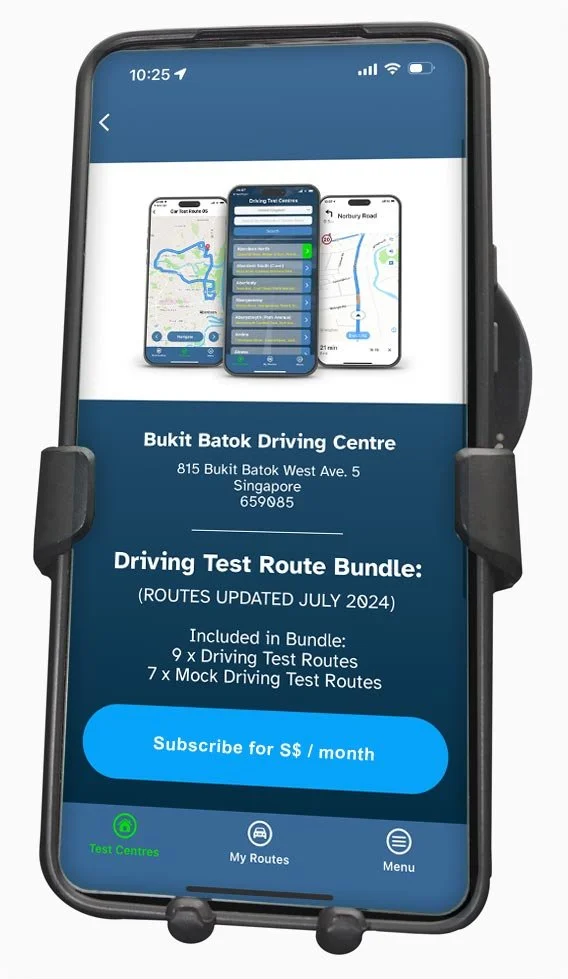
2. Choose a Subscription Plan
Once you’ve selected your chosen centre, you can see all available routes to practise immediately.
The routes will all be automatically updated, so will be fully accurarate right away.
You can then choose a subscription through either the Apple App Store or the Google Play Store.
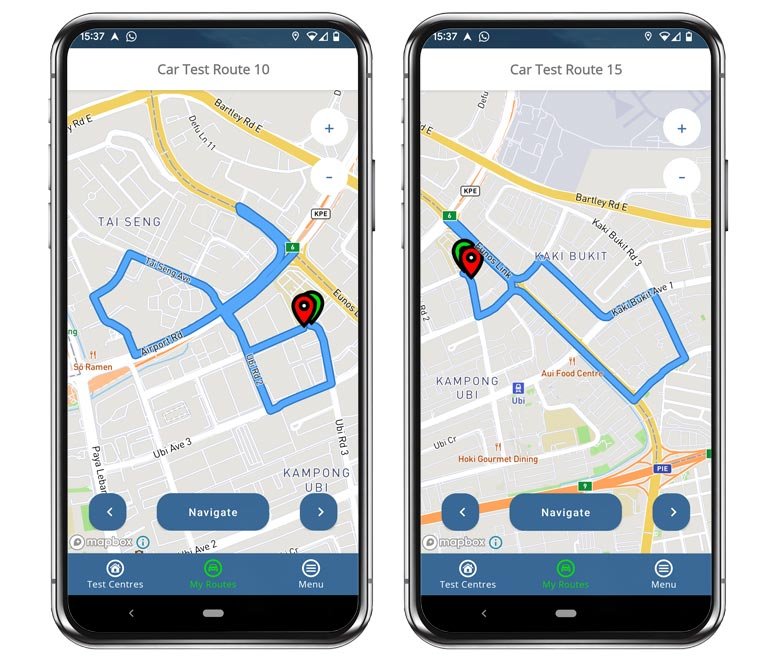
3. Preview Test Routes
You can then cycle through the test routes and preview them before beginning your practice runs.
From the route overviews you can assess the length and complexity of routes before choosing one to practise.
Some like to start at route #01 and work their way through sequentially, others prefer to hand-pick routes according to their practise plan.
You have complete control over your practice schedule.
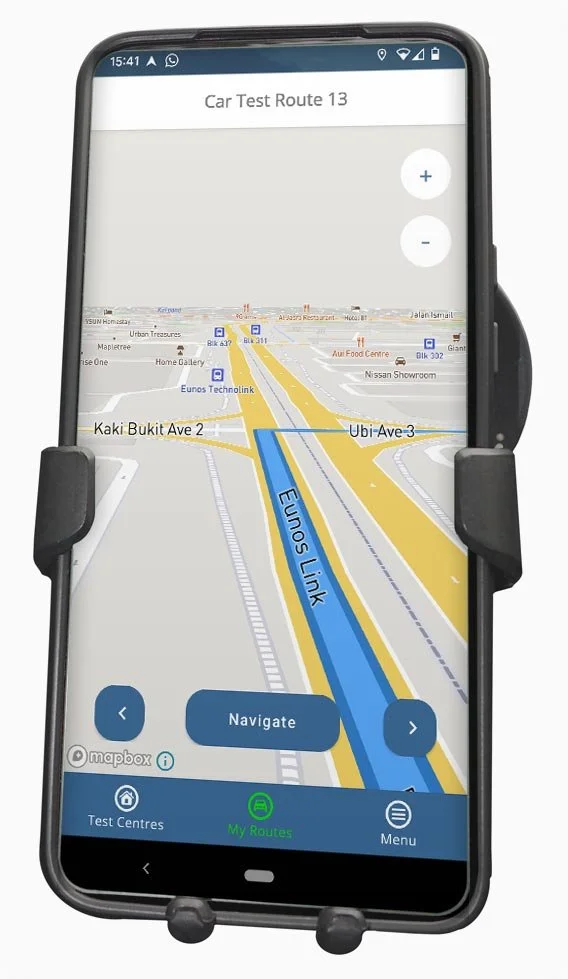
4. Start the Navigation
With a route chosen, you can now be guided turn-by-turn with clear voice and uncluttered visuals, allowing you to focus entirely on your drive.
Enjoy the Latest Mapbox Technology
Our app features the same GPS technology used by Porsche, Land Rover, Samsung and Facebook (to name just a few), ensuring the mapping is accurate and up to date at all times.
“This app has been invaluable in teaching my son the test routes, I would recommend this to anyone.”
— Mikeyd0083

Frequently Asked Questions
-
There are currently three main test centres in Singapore (with a possible fourth on the way). Bukit Batok, ComfortDelGro and Singapore Safety.
Our app covers every centre, and all the official test routes that are driven during tests.
-
We are the only route provider to work directly with driving instructors, and record GPS data on test days (with full permission) to ensure we map the latest routes.
Updates are carried out automatically, so any road closures, diversions and changes to routes are represented immediately in the app.
-
You will need internet access such as mobile data in order to view the live maps and proceed with our GPS guided navigation.
-
We liaise with driving instructors and monitor real GPS data every single week to ensure the routes are fully accurate. No other app does this currently.
-
Route familiarity is hugely important when it comes to carrying out manoeuvres.
Though the app doesn't help directly, it will increase your confidence on the roads in which you will be carrying out your manoeuvres.
-
Yes, several of the routes across the three driving centres involve some form of Expressway driving which is fully mapped.
For instance:
In Bukit Batok you have the Pan Island Expressway (PIE).
At Ubi (ComfortDelGro) you have the Kallang-Paya Lebar Expressway (KPE).
In the Woodlands are at Singapore Safety Driving Centre you have the Seletar Expressway (SLE).
-
Yes, the speed limits are displayed on the route guidance map, though be sure to practise observing the speed limit signs along your route and try not to rely on the app.